
![[FREE] AI Coding Agent Like Claude with GLM 5.3 and DeepSeek 4.1](/_astro/_FREE_%20AI%20Coding%20Agent%20Like%20Claude%20with%20GLM%205.3%20and%20DeepSeek%204.1.DqmhEv6e_Z1EAYjH.webp)

![[ArtCraft] - FREE Adobe Alternative!](/_astro/pasted-image-1792594751628.DO1aQ5HU_Z1S7ifM.webp)
What Is ArtCraft?
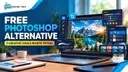
ArtCraft is a collection of creative apps designed to look and feel like Adobe’s lineup. The project is led by Brandon Thomas, a software engineer from Atlanta, Georgia, and according to the project’s GitHub history, it was built with help from Anthropic’s Claude AI (Claude Opus 5.5).
Here’s how the ArtCraft apps line up against their Adobe counterparts:
- PhotoCraft: Adobe Photoshop
- VectorCraft: Adobe Illustrator
- FilmCraft: Adobe Premiere Pro
- LightCraft: Adobe Lightroom
- DesignCraft: Adobe InDesign
- EffectCraft: Adobe After Effects
- PDFCraft: Adobe Acrobat
The creator has said publicly that no Adobe code or binaries were used. The apps were built from scratch.
Why Is It Going Viral?
The numbers speak for themselves. ArtCraft started picking up stars on GitHub in early 2026, but things really took off after September 30. The repo jumped from roughly 2,000 stars to over 32,000, gaining about 30,000 in a single month. That kind of growth is rare, and it’s put ArtCraft all over YouTube and tech social media.
How to Install ArtCraft
Getting started is simple:
- Go to the GitHub repo at github.com/storytold/artcraft.
- Click the ArtCraft website link on the repo page.
- Head to Craft Apps and download the launcher.
- Open the launcher and pick the app you want to install, such as PhotoCraft.
Prefer not to install anything? There’s also a web version (currently in beta) with image and video editing tools right in your browser.
Is It Really Free?
Mostly, yes. The desktop apps are free and open source. The web version, however, offers paid plans starting at $10 per month, along with one-time credit packs. So while you can use the core tools without paying, some online features come at a cost.
First Impressions of PhotoCraft
PhotoCraft is the standout so far. The interface feels very familiar if you’ve used Photoshop: a layers panel on the side, a full toolbar, and support for many of the same keyboard shortcuts. Selections, layers, and filters all work the way Photoshop users would expect, and it runs smoothly.
Can ArtCraft Replace Adobe?
It’s too early to say for sure. For hobbyists, students, and anyone tired of monthly subscriptions, ArtCraft is absolutely worth a try. Professional designers and video editors, though, will want to put it through real production work before canceling their Adobe plans. Features, stability, and file compatibility matter a lot once client deadlines are on the line.
The Bottom Line
ArtCraft is one of the most exciting open-source creative projects of 2026, and a striking example of what one developer can build with AI. Download the launcher, give PhotoCraft a spin, and decide for yourself whether it earns a spot in your workflow.
Have you tried ArtCraft yet? Let us know what you think in the comments!
![Image related to [artcraft] - free adobe alternative!](/_astro/pasted-image-1792594751628.DO1aQ5HU_Z1GurxI.webp)

