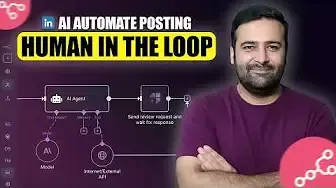



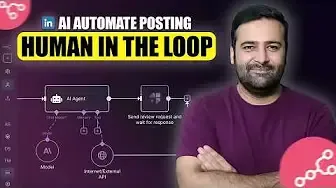
AI-generated content is everywhere now. Open LinkedIn, Facebook or X and you will see posts that were written, and even published, with no human involved at all. Automation is great, but publishing without a review is risky. In this tutorial, you will learn how to add n8n human in the loop approval to an AI workflow, so nothing goes live until you say yes.
The Problem: When Automation Posts Without You
I run an agency that works with Shopify, WordPress and SEO. To save time, I built an n8n agent that runs my LinkedIn profile automatically. It works like this:
-
A news data API pulls the latest articles about AI, SEO, Shopify and WordPress.
-
An AI agent (using the low-cost Gemini Flash model) reads three to four articles and picks the best one for LinkedIn.
-
The agent writes the post content and an image prompt.
-
n8n generates the image and publishes the post to LinkedIn.
I never touched anything. But a few days ago, I noticed a post that promoted an external agency, which is something I would never post on my own profile. That was the moment I decided every automated post needs human oversight.
Step 1: Add the Human Review Node
n8n now has a built-in Human Review feature. To add it:
-
Click the + (add) button in your workflow, right after the step that generates the content.
-
Choose Human Review.
-
Pick where you want to receive the approval request. You can use chat, Discord, Gmail or Slack.
I chose Slack because it was already connected to my n8n account.
Step 2: Connect Slack for Instant Approvals
-
Select Slack as the approval channel.
-
Choose to message a user, then select yourself from the user list.
-
Write a message such as: “Please approve or disapprove the following content.”
-
Set the approval type. You can use approve only, approve and disapprove, free text or a custom form. I used approve and disapprove buttons.
There are also a few optional settings, such as a limit wait time (how long n8n waits for your answer) and an option to append n8n attribution to the message. I left both at their defaults.
Step 3: Add an IF Node
The Human Review node returns a simple true or false value. Add an IF node after it:
-
True (approved): continue and publish the post to LinkedIn.
-
False (declined): connect a No Operation (Do Nothing) node, so the workflow simply stops.
Step 4: Fix the Missing Image with a Code Node
After adding the Slack step, I hit one issue. The LinkedIn node was still looking for the image from an earlier step, but that data was no longer passed along after the Slack node.
To fix it, add a Code node (JavaScript) between the IF node and LinkedIn. This code pulls the binary image data from the Convert File node (where the post image is generated) and passes it to the LinkedIn node. I generated the code with ChatGPT, and I have shared it in the video description so you can copy it.
Step 5: Test the Workflow
Click Execute workflow and watch it run. The workflow pauses on the Slack node, and you get a Slack message asking you to approve or disapprove.
-
Decline: the workflow ends and nothing is posted to LinkedIn.
-
Approve: the content is published to LinkedIn right away.
I tested both cases, and both worked as expected. After the test, I deleted the sample post from my profile.
Tip: The default Slack message does not show the post itself. Add variables to the message so you can read the actual content before you approve.
Bonus: Human in the Loop for AI Agent Tools
You can also use human review inside an AI agent. For example, if your agent calls an MCP client tool, you can add a human review step before the tool runs. Click the + on the tool connection, choose Add human review, and select Slack, Gmail or any other channel for the approval.
Results: Impressions and Cost
This workflow runs live on my LinkedIn profile, and here is how it performed:
-
One post reached 394 impressions.
-
Others reached 357 and 262 impressions.
-
People liked and commented on the posts, even though they were generated by AI.
The cost was very low. In my Google Cloud billing, about $0.39 covered roughly 10 to 11 posts in a month. All content and images came from Google Gemini models. I do not run it daily, because that would be too much content, so it posts every two to three days.
Final Thoughts
If you run AI workflows that publish content for you, human oversight is worth the few minutes it takes to set up. With n8n human in the loop, you keep the speed of automation and stay in control of what goes live under your name.
Have a question, or want a similar workflow built for your own LinkedIn profile? Leave a comment on the video.