![[ArtCraft] - FREE Adobe Alternative!](/_astro/pasted-image-1792594751628.DO1aQ5HU_1HD4Nb.webp)

Are you looking for the best AI tools to manage and build your WordPress sites? While Novamira is a popular choice for self-hosted AI development, there are other powerful options available in the market. In this article, we compare the top Novamira alternatives to help you choose the best tool for your projects.
Novamira set the standard for AI agent access inside WordPress. Several alternatives have since emerged, each addressing the same core problem: how do you give an AI agent meaningful access to a WordPress site without creating unacceptable risk? We’ve reviewed the most significant alternatives right now — starting with our own WSP MCP, then WPVibe and NibWP — comparing each against the benchmark Novamira sets.
Read our guide on Novamira MCP: AI-Powered WordPress Features for a full breakdown of what Novamira offers. Our comparison of WordPress 7 and Novamira: How They Fit Together explains how these tools relate to WordPress 7.0’s native AI infrastructure.
WSP MCP – AI Agents Connector (Our Top Pick)
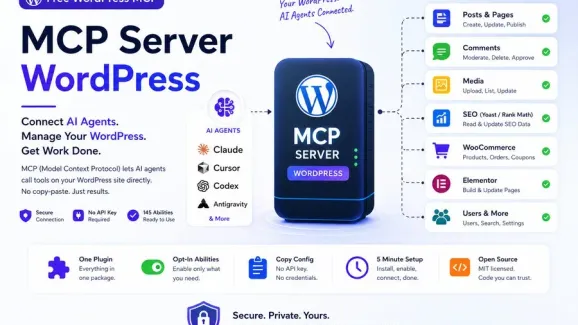
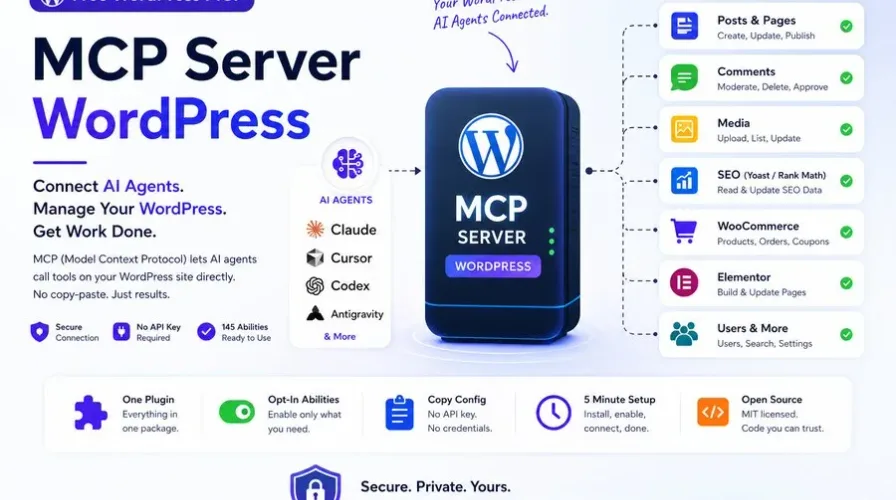
Before comparing the self-hosted heavyweights below, it’s worth starting with WSP MCP — a free, native MCP server built directly into WordPress, with no companion plugin or adapter required. Install it, copy your connection details from MCP > Connection, and any MCP-compatible client (Claude Desktop, Cursor, Codex, Antigravity, OpenClaw, OpenCode) is connected.
What sets it apart from the field below:
- Genuinely native, zero-dependency setup. No WordPress MCP Adapter, no external services, no Docker containers — the plugin ships its own MCP server over a single REST endpoint.
- Per-ability control, write actions off by default. Every tool — post edits, media uploads, WooCommerce orders, ACF fields, and more — is individually toggled in MCP > Settings, so you expose exactly as much as you want and nothing more.
- Built-in audit log. Every tool call an AI agent makes is recorded in your own database (tool, timestamp, user, IP, outcome) — visible only to admins, no third-party logging service involved.
- Deep plugin coverage. Native tool suites for WooCommerce, Advanced Custom Fields, Elementor, Ultimate Addons for Elementor, Gravity Forms, and Yoast SEO — all registered only when the corresponding plugin is active.
- Capability-checked on every call. An AI client can only do what the authenticating WordPress user is actually allowed to do, enforced at the object level, not just a broad role check.
Best for: Anyone who wants a safe, production-ready way to connect an AI agent to WordPress without standing up separate MCP infrastructure — whether that’s a single site or an agency managing many.
Pros: Free, native server (no adapter), broad plugin ecosystem support, granular per-tool permissions, self-hosted audit trail, active development.
Cons: Self-hosted like Novamira and NibWP, so it runs on your own server rather than a managed remote endpoint — plan capacity accordingly on high-traffic sites.
Get WSP MCP free from the WordPress.org plugin directory → | Full docs at wspmcp.com
Novamira (The Standard Benchmark)
Novamira is a free, open-source, self-hosted WordPress plugin that creates an MCP server inside your WordPress installation, connecting AI agents directly to your site. It allows deep development through direct PHP execution and database access — AI agents connect at the PHP runtime level, giving them direct access to your database, file system, active plugins, and any plugin or theme API. Compatible agents include Claude Code, Cursor, VS Code Copilot, and Gemini CLI.
The free version covers core PHP execution and site context reading. Novamira Pro adds persistent project memory and page-builder specializations.
Best for: Developers working on local, development, or staging environments.
Pros: Powerful direct server and database interaction.
Cons: Requires careful management when handling live servers.
WPVibe (The Best for Live Sites)
If you want a safe option for live production sites, WPVibe is a great choice. It’s a hosted, remote-server option — a production-safe, draft-first workflow — making it one of the safest options in any WordPress AI plugin comparison.
Best for: Production safety and managed ease of use, with web-based AI client support.
NibWP (The Powerhouse for Integrations)
The NibWP WordPress plugin is another self-hosted alternative that stands out because of its massive integration capacity. It comes with over 130 typed tools and supports popular page builders.
Key Feature: Complete data control stays on your server, with powerful third-party plugin and page-builder support (like Elementor or Bricks).
Pros: Excellent plugin and builder compatibility.
Cons: Steeper learning curve for configuration.
Quick Comparison
| Tool | Type | Best Environment | Pricing |
|---|---|---|---|
| WSP MCP | Self-hosted, native MCP server | Any site — dev, staging, or production, with granular per-tool control | Free |
| Novamira | Self-hosted | Staging / development only | Free, Pro tier available |
| WPVibe | Hosted / remote server | Production-safe, live sites | Free tier + Pro |
| NibWP | Self-hosted | Any, especially page-builder-heavy sites | Free / paid tiers |
Which One Should You Choose?
Start with WSP MCP if you want a free, native, production-safe MCP server with no external adapter and fine-grained control over exactly what an AI agent can touch on your site. Choose Novamira if you specifically need direct PHP/database-level access for local testing and development. Choose WPVibe if you want a hosted, remote-server option instead of running the MCP server on your own infrastructure. Choose NibWP if your priority is maximum page-builder integration depth.
Conclusion
Finding the right AI WordPress tool depends on your environment and how much control you want over what an AI agent can do. If you want a free, native, no-dependency option that works safely on both staging and live sites, WSP MCP is the place to start — for deeper comparisons against Novamira, WPVibe, and NibWP specifically, the breakdowns above cover what each one gets right.
- AI WordPress development
- MCP server WordPress
- NibWP
- Novamira
- Novamira alternatives
- WordPress AI automation
- WordPress AI plugin comparison
- WPVibe
- WSP MCP